
How to tune an LS
with your phone.
The complete workflow for a 1999 to 2007 GM Gen III LS, from plugging in an adapter to driving on your own tune.
What you need
- A Gen III LS with a P01 or P59 PCM. LS1/LS6 Camaros, Firebirds and C5 Corvettes, most 1999 to 2007 GM trucks and SUVs, and swaps running those PCMs. Check yours.
- An OBDLink MX+ (works on iPhone and Android) or another supported adapter.
- TuneBench, free on the App Store, or the Android, Mac, Windows and Linux beta.
- A battery maintainer. Not optional for writes.
- Ideally, a wideband O2 sensor. Fuel trims work, a wideband is better.
1. Practice on the demo vehicle
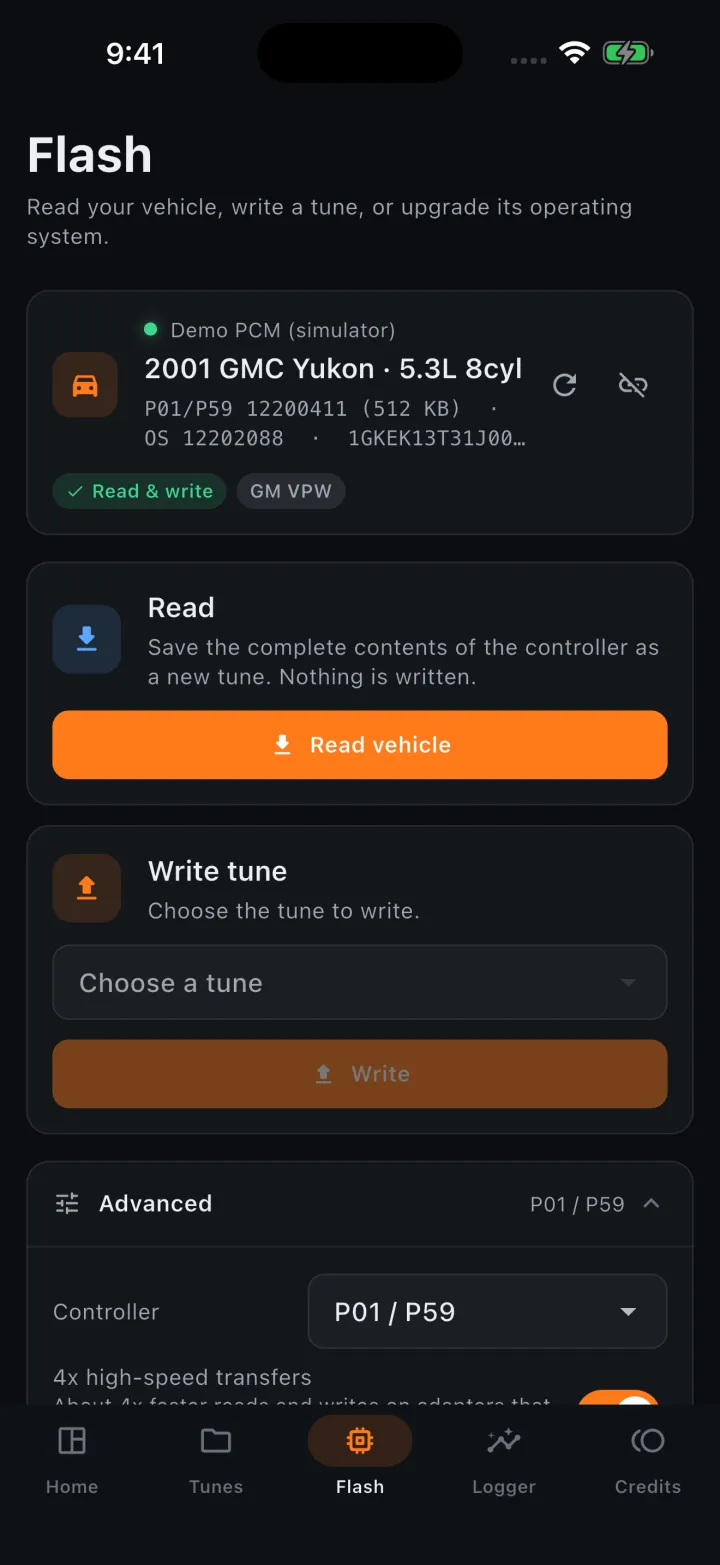
Open TuneBench and tap Demo. It connects to a simulated 2001 GMC Yukon PCM, so you can do every step below, including a write, with nothing at risk. Ten minutes here makes your first real flash boring, which is exactly what you want.
2. Connect and read your PCM
Plug the adapter into the OBD-II port under the dash, key on, engine off. On iPhone, pair the MX+ once in Settings → Bluetooth; BLE adapters connect inside the app. Tap Connect, then Read vehicle.
TuneBench identifies the controller, reads the VIN and OS ID, loads the matching definition and pulls the full calibration. That read is saved as your stock version. Back it up somewhere else too.
3. Log a baseline
Before changing anything, log a drive: idle, cruise, a few moderate pulls. In Logger, pick channels (RPM, MAP, trims, knock retard, spark, IAT, ECT, and your wideband if you have one) and record. Add a fuel trims or wideband AFR error histogram to see where the tune is lean or rich.
4. Make your changes
Common first changes on a Gen III LS: correct fueling (VE or MAF), adjust spark where knock allows, raise the rev limiter, firm up shifts and turn off unused systems. Every table edit is tracked; tap Changes to see a heat map of what you touched and Stock to compare.
Change one thing at a time and log after each change. If you don't know what a table does, leave it alone and ask in the Discord.
5. Correct fueling from your log
Open the VE table (or MAF), tap Log, choose your log and a preset like "Wideband VE" or "Fuel trims". Set strength to 50 to 80 percent and a max change of 5 to 10 percent per pass, preview, then Apply. Repeat log → correct two or three times until trims settle. Full VE guide.
6. Write the tune
Battery maintainer on, phone on its charger, accessories off. Go to Flash → Write tune, pick your version and confirm. The first write to a vehicle asks to license it ($50 for a Gen III LS); every write after that is free. TuneBench fixes checksums, checks the file against the PCM, writes and verifies. Don't touch the key until it says done.
7. Log again
Start the engine, let it reach temperature and log the same drive. Compare against your baseline. Tuning is a loop: log, correct, write, log.
Ready for your first read?
Free to read, edit and log. License a Gen III LS for $50 when you're ready to write.